Privacy
Accounts, rooms, chat and usage live in your group’s own Cloudflare account. Nothing is recorded, there are no ads and nothing scans your content.
Open source · self-hosted · v0.1.7
Openlive is a private alternative to Discord for groups of friends: rooms with screen streams, voice, text and cameras. Each group runs its own instance on its own Cloudflare account, so the rooms, the members, the messages and the bandwidth bill are theirs.
Viewers need only a browser. Streams up to 4K60, about a tenth of a second behind.
Why Openlive
Accounts, rooms, chat and usage live in your group’s own Cloudflare account. Nothing is recorded, there are no ads and nothing scans your content.
Sign-up is by invite, and the group sets its own roles, room rules and bans. No platform decides what your group can do or whether it exists. The code is AGPL-3.0 and you host it yourself.
Streams up to 4K60 (1080p120 and 1440p120 if the admin allows), about 100 ms behind the streamer’s screen, for everyone in the group.
A tour
All screenshots are from the real app on a local instance with made-up people.
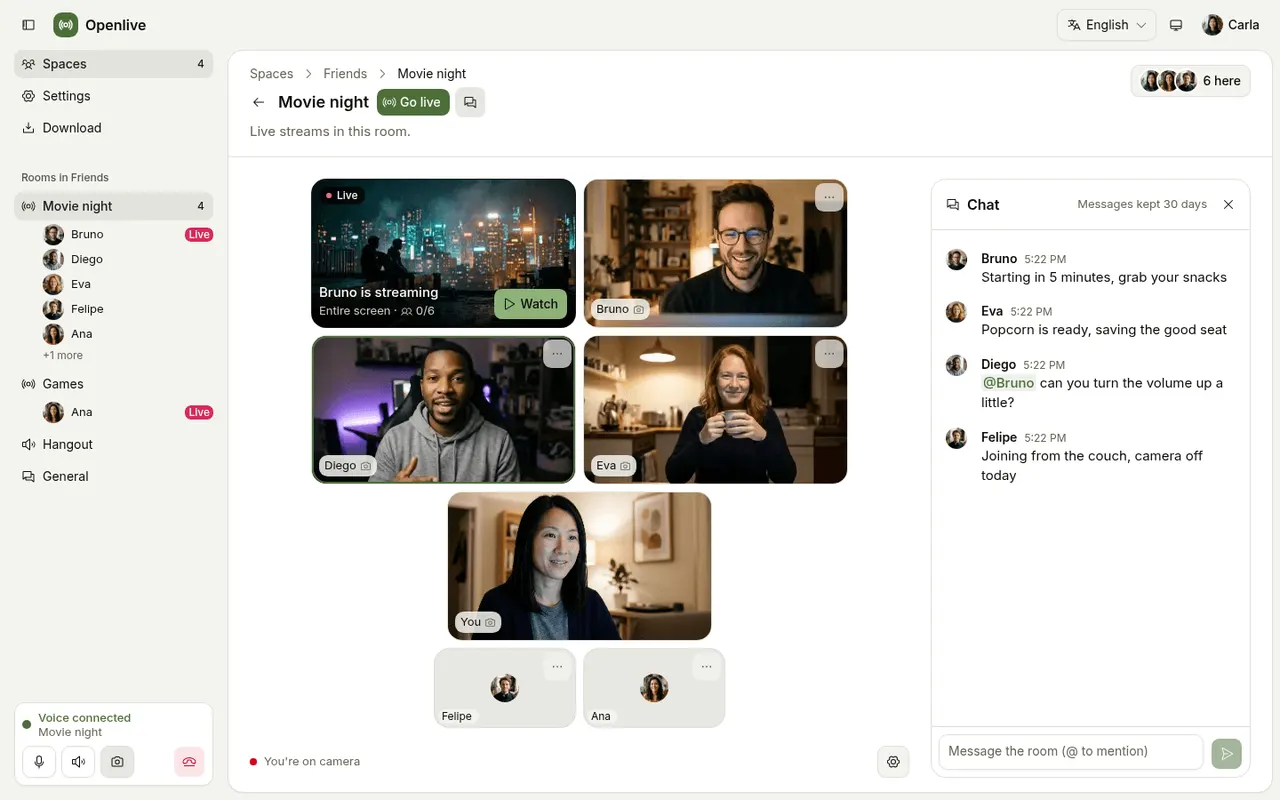
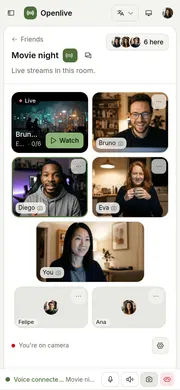
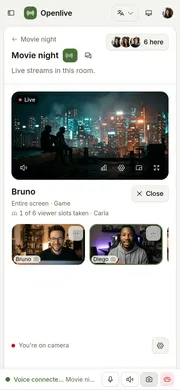
The stream and the cameras share one stage, with the chat beside. Someone clicks Go live and everyone else watches in the browser, with nothing to install.
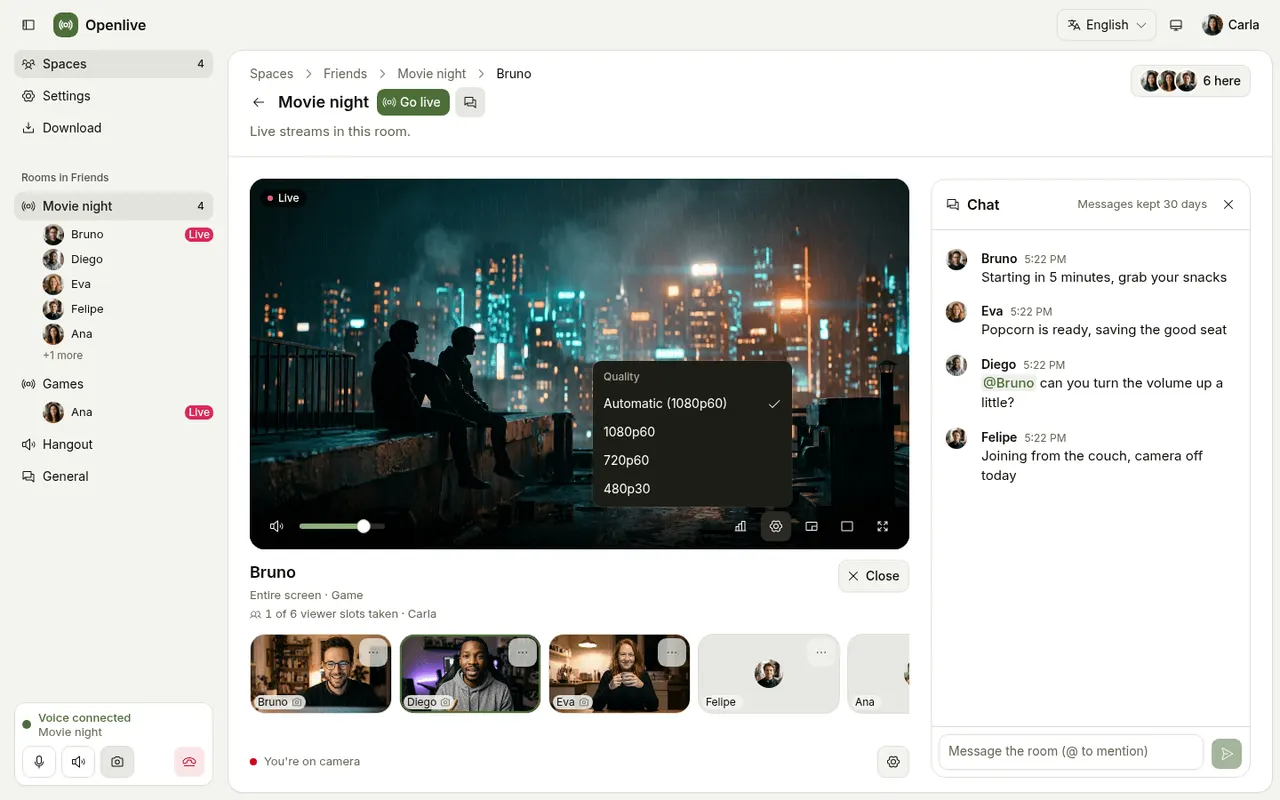
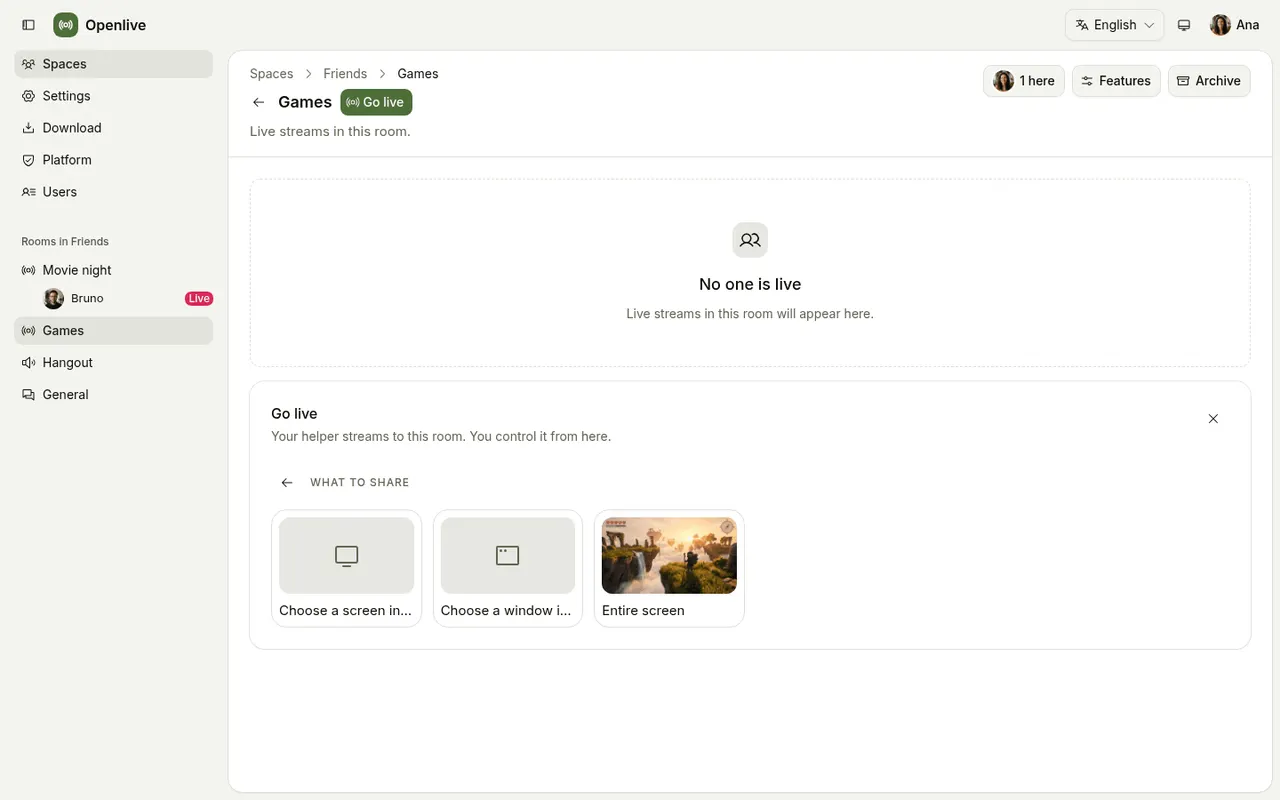
Pick a screen, then quality and sound. A small native helper captures a screen or a single window with that app’s sound and sits in the tray.
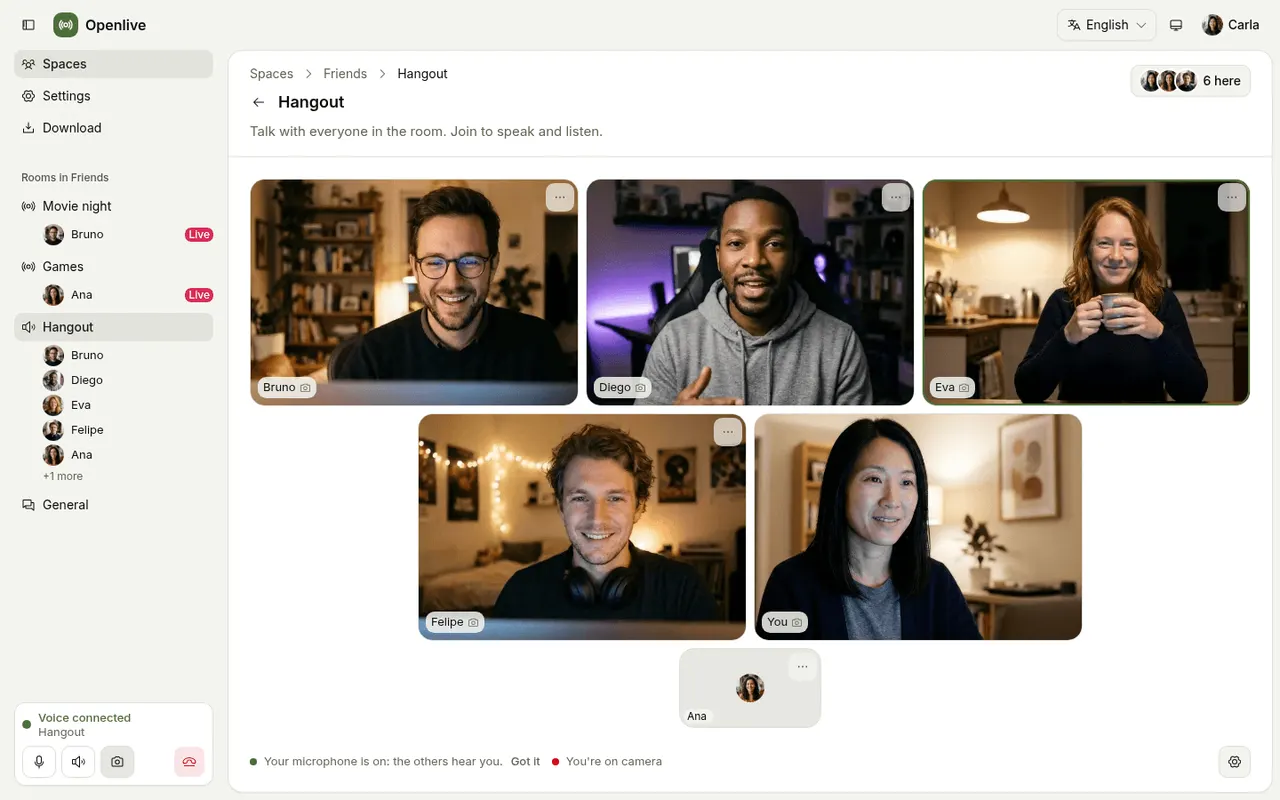
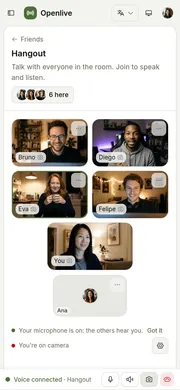
A voice channel is a video call, with whoever is speaking ringed.
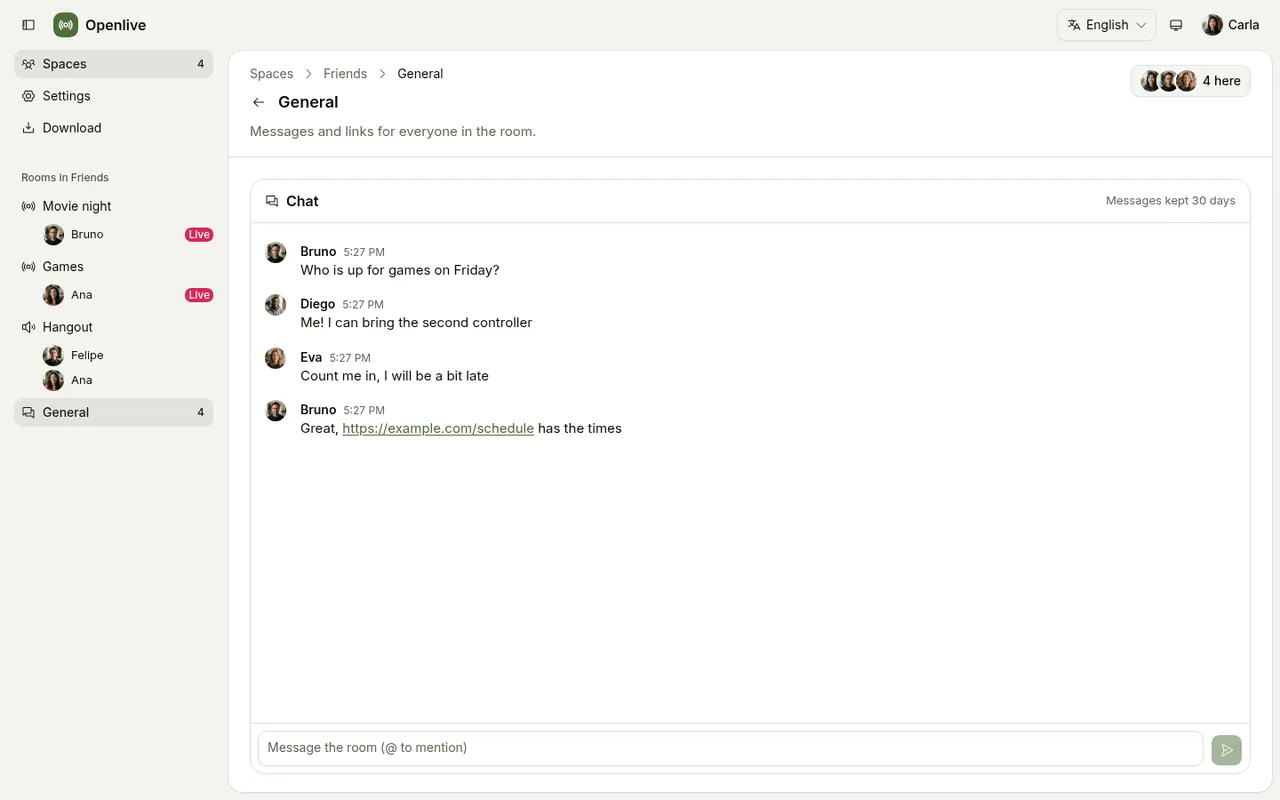
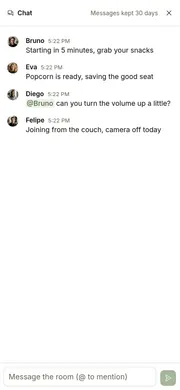
Every room can have its own chat, and in a text channel the page is the chat.
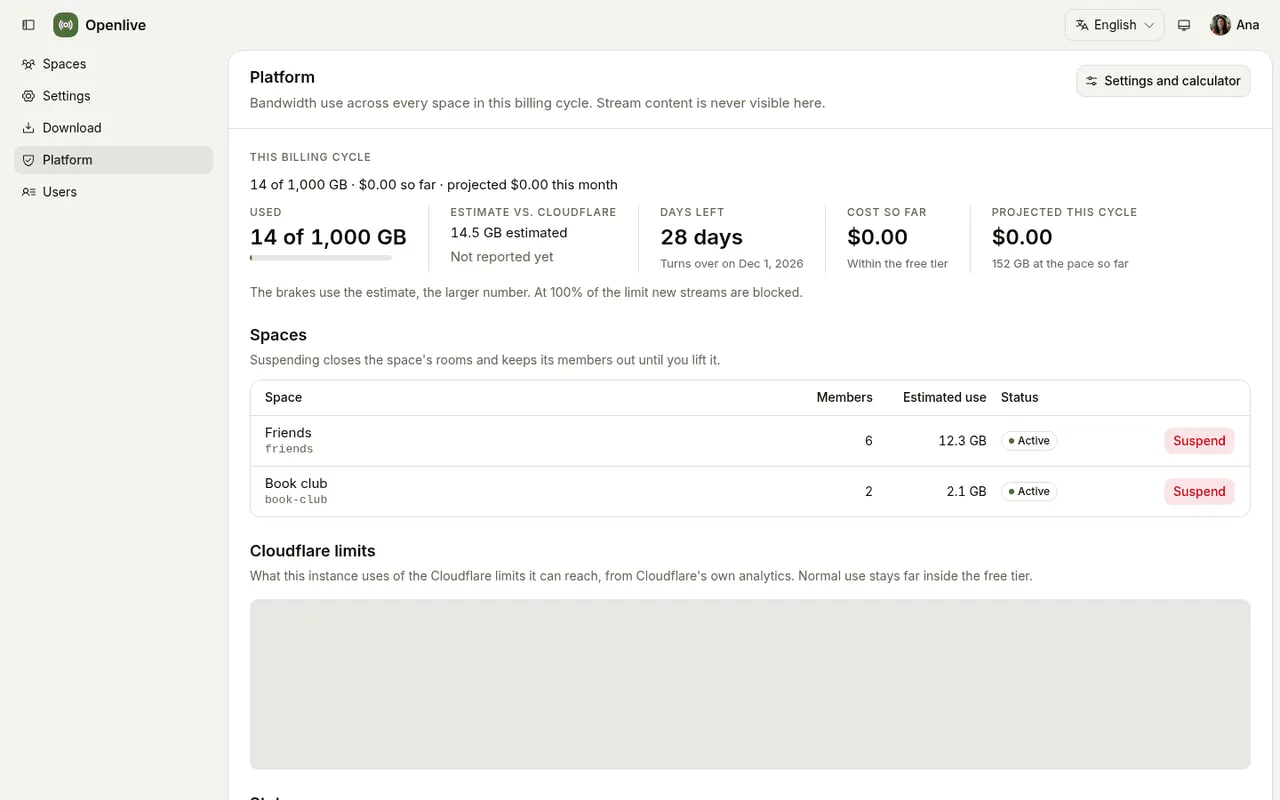
The platform overview shows the month’s bandwidth, its projection and the cost per space, plus how streams played.
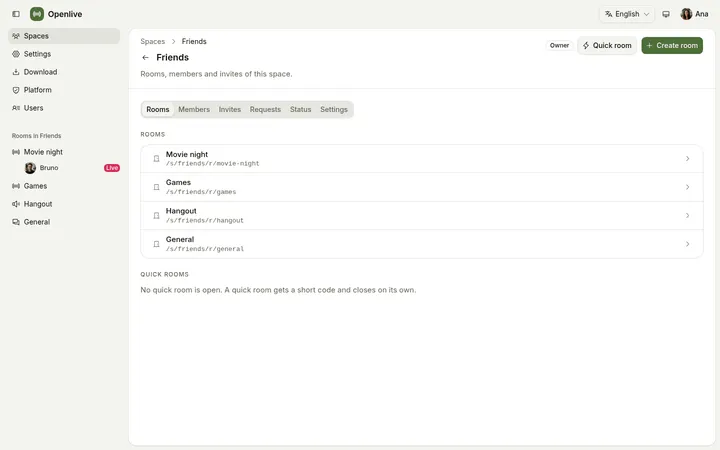
A space and its rooms
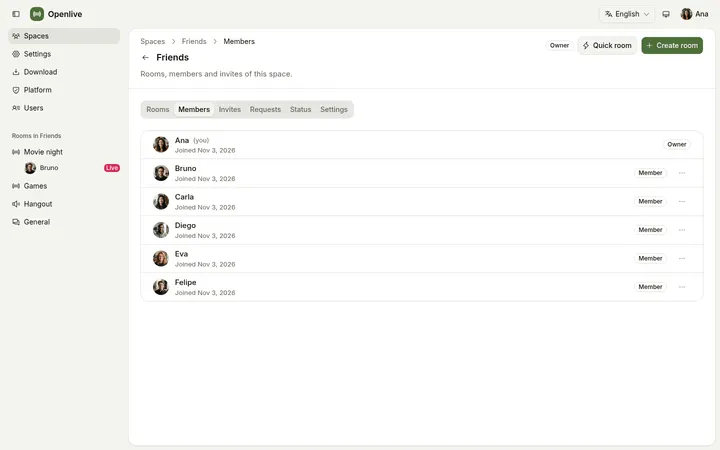
Members and roles
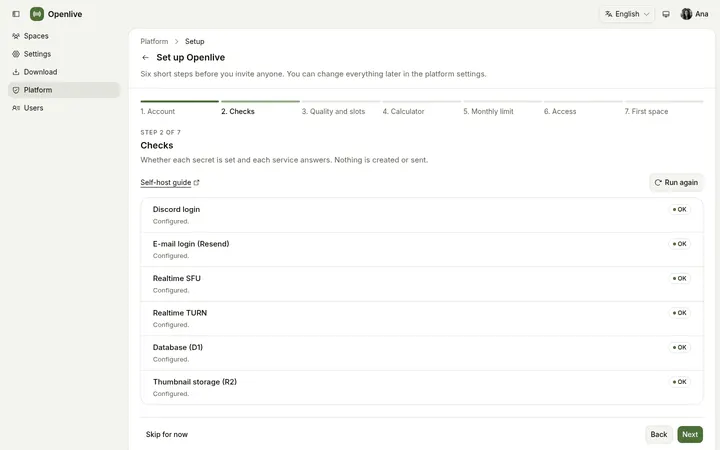
First-run wizard
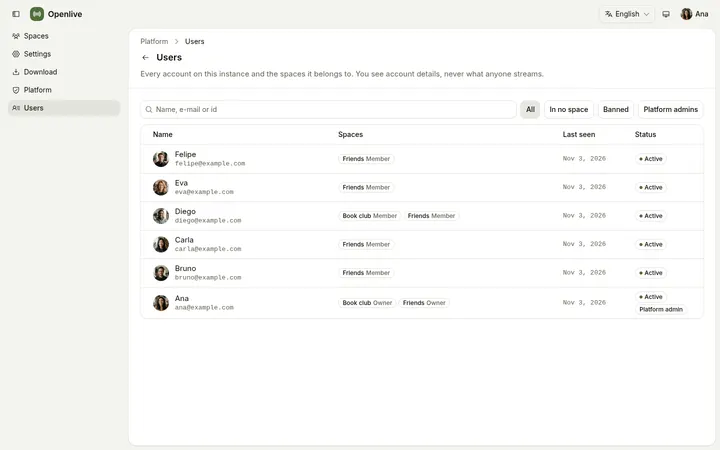
Every account on the instance
The web app is installable and works on phones: the stage, the chat as a bottom sheet, voice and cameras. An Android app (beta, Android 7 or later) adds voice that keeps running in the background, with the screen locked.
How it works
Someone clicks Go live, the helper on their computer captures and encodes the screen with the app’s sound, Cloudflare Realtime carries it, and everyone else in the room watches in the browser.
On the streamer’s computer, it encodes the screen or window on the GPU and publishes it as simulcast layers.
The Realtime SFU fans the stream out from the Cloudflare location nearest to each person.
Each viewer pulls one layer, the one their connection holds. Nothing to install.
One Cloudflare Worker serves the web app, the REST API and the room WebSockets. Each room is a Durable Object that knows who is here, who is live and who holds a viewer slot; D1 keeps the accounts, spaces and usage; R2 keeps the stream thumbnails.
Numbers
Measured on one machine; there is no measured side-by-side test against Discord.
Openlive vs Discord
 Openlive | Discord | |
|---|---|---|
| Screen streams | Up to 4K60, 120 fps up to 1440p (opt-in), ~100 ms, no subscription | HD streaming is a Nitro perk |
| Voice | Per room: mute, deafen, push-to-talk, per-person volume | Yes |
| Text | Per room: mentions, unread, retention you choose (none to 90 d) | Yes |
| Cameras | In voice, 360p and 180p layers, 6 per room by default | Yes |
| Who holds the data | Your group, in your Cloudflare account | Discord |
| Who sets the rules | Your group’s admins | Discord’s terms, then the server’s admins |
| Cost | Free within Cloudflare’s 1,000 GB a month; brakes at your limit | Free, with paid Nitro tiers |
| DMs, bots, push notifications | Not yet | Yes |
Discord’s public Go Live tiers list HD streaming as a Nitro perk. Measured on one machine; there is no measured side-by-side test against Discord.
Honest limits
Free means within Cloudflare’s free tier, 1,000 GB of egress a month. Above it Cloudflare bills US$ 0.05 per GB, and the app warns and brakes at the monthly limit the admin picks.
That is a much smaller dependency than a social network: the account, the code and the data are yours, and the code is portable.
Direct messages, bots and integrations, push notifications. Openlive is for private groups, not large public communities. The Windows helper comes last.
Self-host
Each group deploys to its own Cloudflare account, on its own domain or a free workers.dev address, without editing any file. The setup checks the toolchain and the account, helps with the Discord and Resend keys, creates what is missing, deploys, and prints the install code that makes you the admin. It is safe to run again.
The free plan is enough. R2 asks for a payment method once, even though it costs $0 within its free tier.
Install Node, run corepack enable, then clone the repository and install.
Wrangler for D1, R2 and the deploy; the cf CLI for the Realtime app and TURN key.
A dry run calls nothing and writes nothing. Use your own domain or a free workers.dev name.
The install code makes you the admin; the wizard walks through the ceilings and the monthly limit.
git clone https://github.com/henriquefps/openlive.git && cd openlive
pnpm install
pnpm --filter @openlive/api exec wrangler login
pnpm --filter @openlive/setup exec cf auth login
# checks and plan; calls nothing
pnpm run setup -- --domain live.example.com --dry-run
# or: --workers-dev <name>
pnpm run setup -- --domain live.example.com
Download
The official builds are on GitHub Releases. A self-hosted server also offers them to its members from its own Download page, with the pairing command filled in.
Wayland (KDE tested; GNOME, Hyprland, Sway expected) through the portal and PipeWire. A tarball and a Flatpak.
Helper releasesmacOS 13 or later, ScreenCaptureKit and VideoToolbox. A signed, notarized disk image.
Helper releasesAndroid 7 or later. Watch, chat and talk, with voice in the background. Not on the Play Store: install the APK.
Android releasesThe Windows helper comes last. Watching already works in any recent browser.
Then pair the helper with your server:
openlive-helper pair --instance https://live.example.com